Complete Guide to Using Acatrix for Academic Applications
Applying for academic positions, whether for a PhD, research role, or international program, can be a complex and time-consuming process. Acatrix is designed to simplify this journey by providing an all-in-one platform for application management, document preparation, and interview preparation. This guide will walk you through every step of using Acatrix effectively, helping you maximize your chances of success.
Applying for academic positions, whether for a PhD, research opportunity, or international job opportunities, requires precision, planning, and strong documentation. Many applicants struggle with managing multiple applications, tailoring their CVs, or preparing professional documents such as emails and Statements of Purpose.
Acatrixis designed to simplify this process by offering an integrated platform where you can manage every stage of your application journey. From identifying suitable positions to preparing for interviews, the platform provides structured support tailored to your profile.
This guide provides a clear, step-by-step explanation of how to use Acatrix effectively.
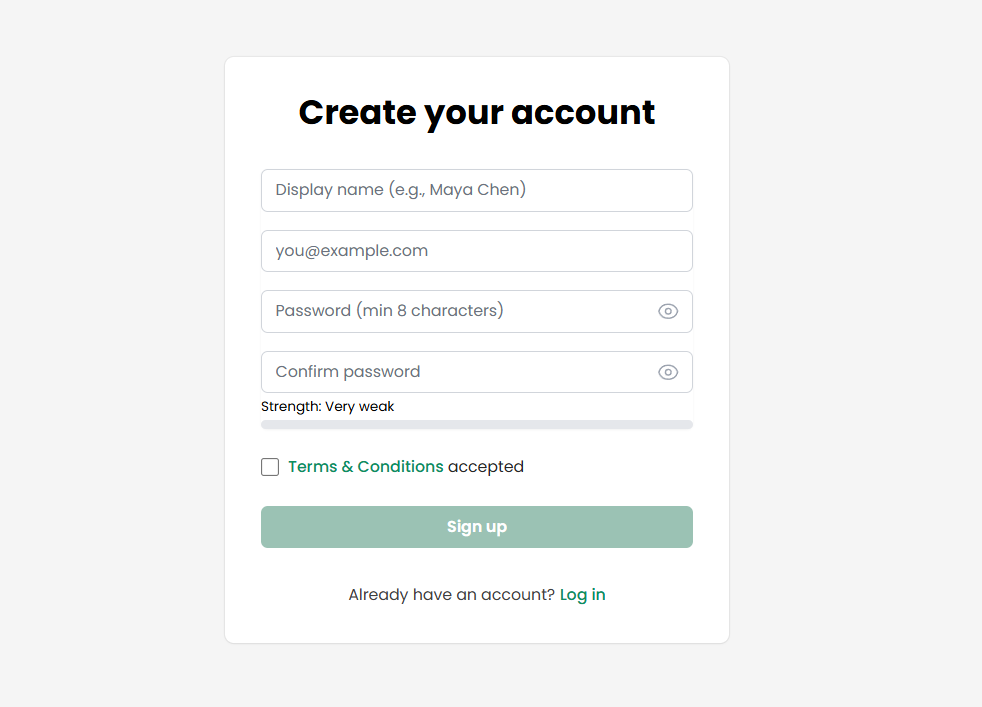
Step 1: Create an Account and Access Your Panel
To begin using Acatrix, you need to register through the website and log in to your personal dashboard. The registration process is straightforward and grants you access to all core features of the platform.
One of the key advantages of Acatrix is that it offers a free trial for one application. This means you can upload your CV and experience the full range of services for a single position without any cost. This feature allows you to evaluate the platform before committing to a paid plan.
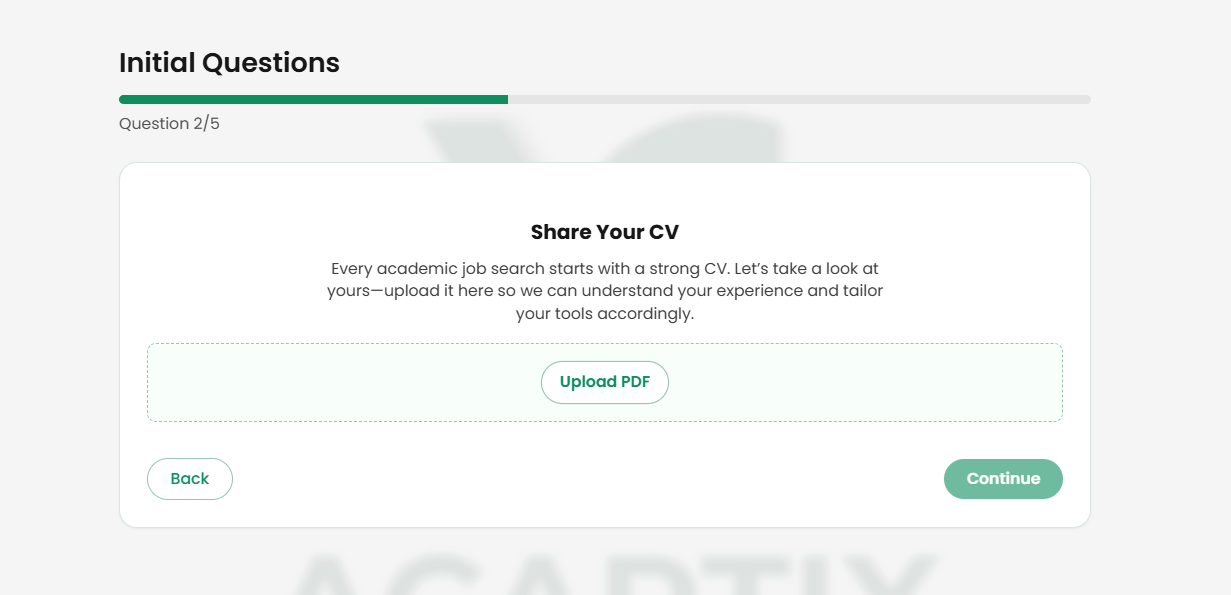
Step 2: Upload and Improve Your CV
After registration, upload your CV to the platform.
You can upload unlimited CV versions, enabling you to tailor your resume for different positions and choose the most suitable version for each application.
Step 3: Set Your Search Preferences
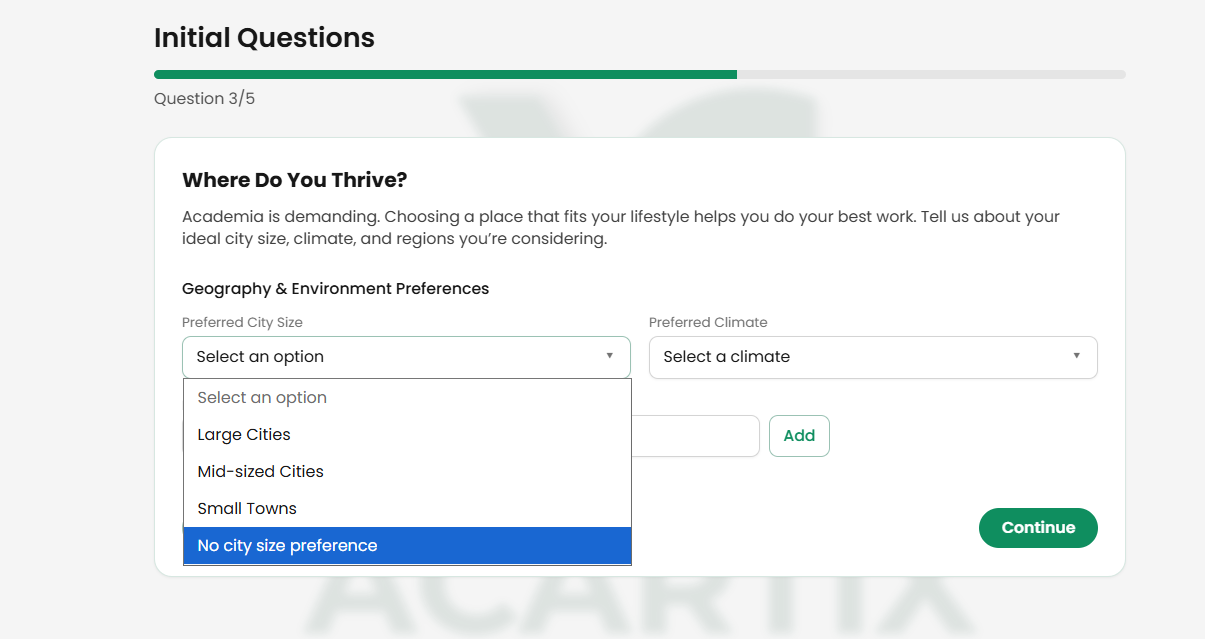
3.1 Define Your Preferred Locations
Acatrix allows you to refine your automatic search by specifying:
Preferred countries
Regions of interest
You can also customize your preferences based on:
Climate (e.g., warm or cold regions)
City type (quiet vs. vibrant)
Population size and lifestyle
This ensures that search results align not only with your qualifications but also with your personal lifestyle preferences.
Acatrix includes an intelligent search system that helps you find positions aligned with your profile. At this stage, you can define your preferences to guide the platform.
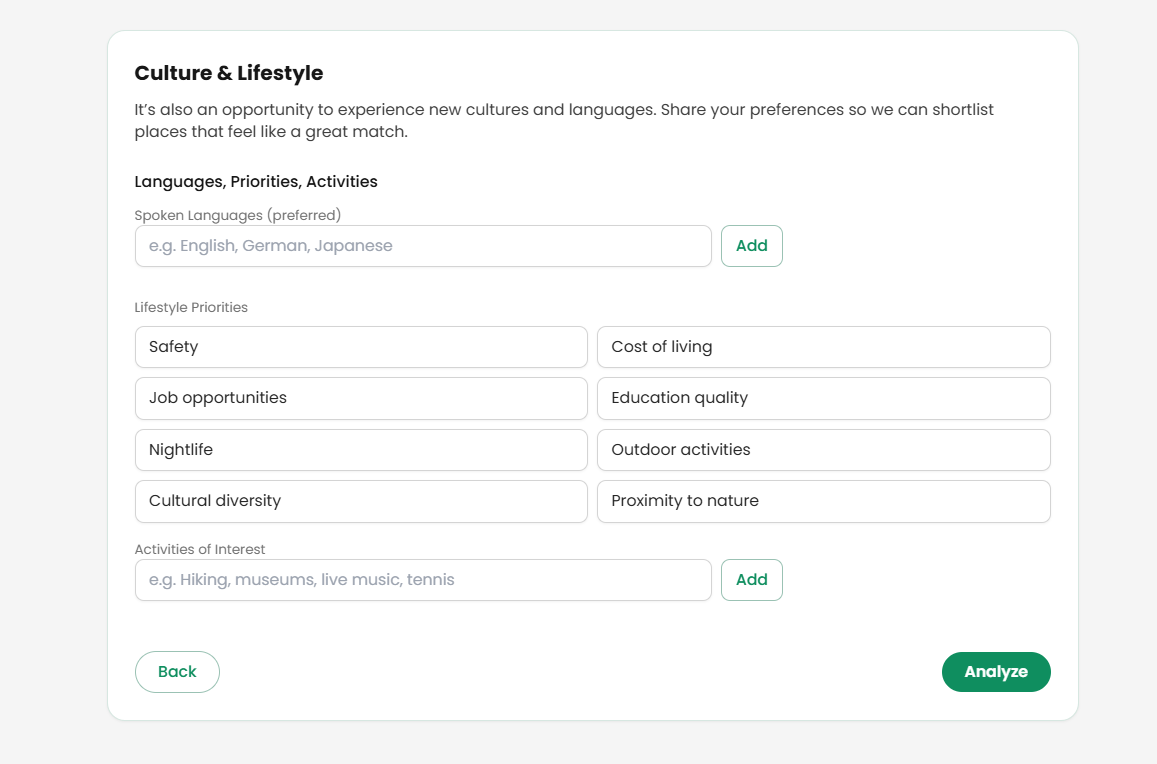
3.2 Set Language and Lifestyle Preferences
In this stage, you can:
Select your preferred language of study (e.g., English, French)
Define additional lifestyle preferences
Add custom criteria not listed in the system
These inputs further refine the platform’s automated search results.
3.3 Review Initial Search Insights
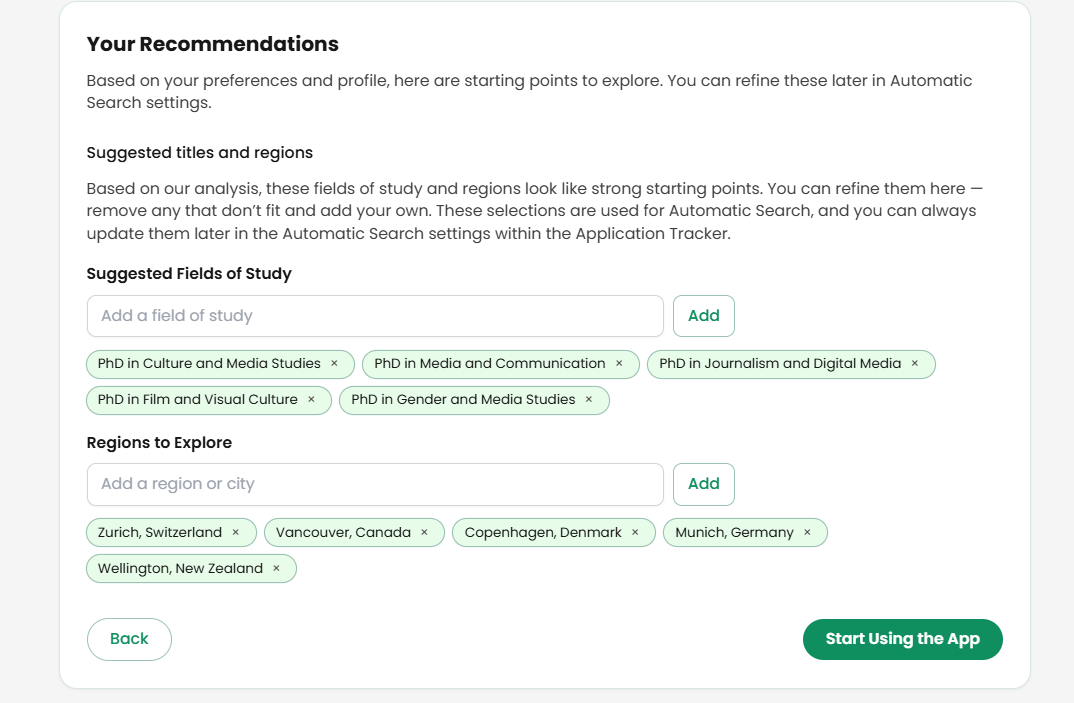
Based on your CV, Acatrix will suggest:
Suitable academic fields
Recommended cities and regions
If you have a specific field in mind, you can manually add it to ensure a more targeted search.
Step 4: Navigating the Dashboard
4.1 Explore the Platform
Once inside your dashboard, you will be guided through a short onboarding quick tour.
If you need help later, you can:
Submit a support ticket
Revisit the platform tour anytime
4.2 Understand the Main Sections
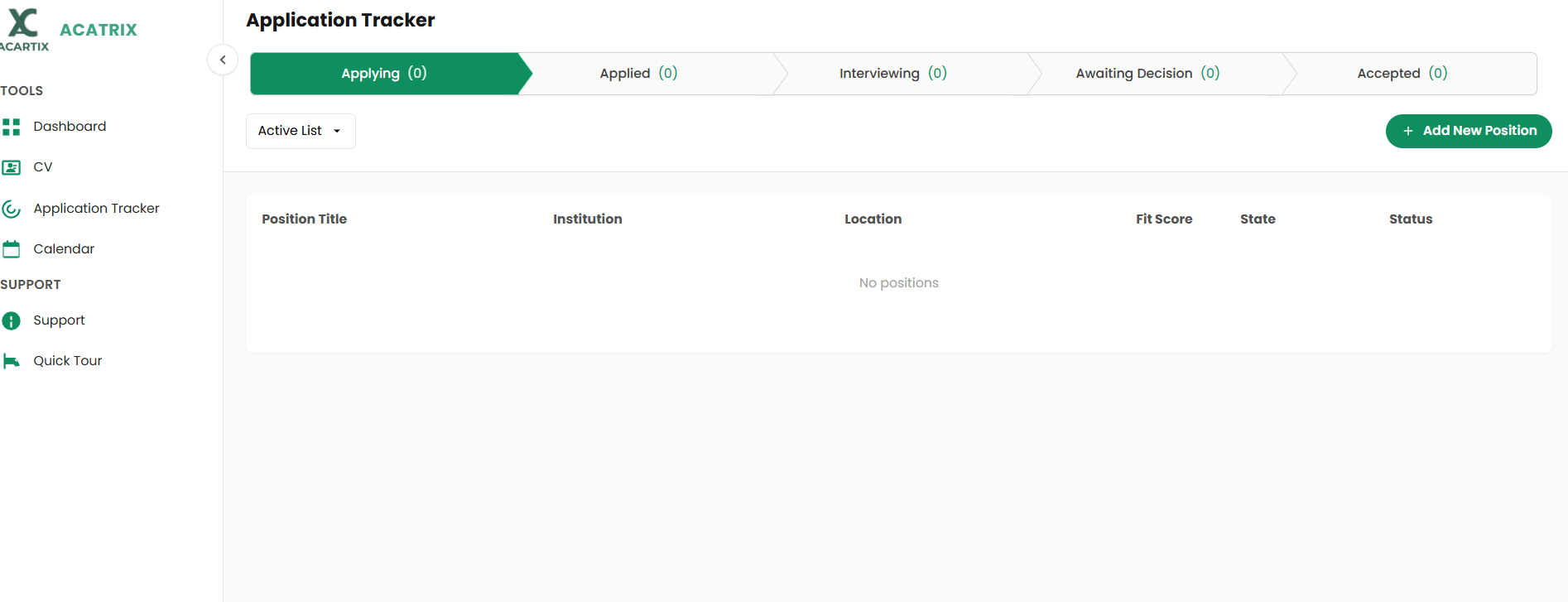
Your dashboard includes four main sections:
Dashboard: Overview of deadlines, suggested applications, and progress
CV Section: Stores all your uploaded resumes
Application Tracker: Manages each application from start to finish
Calendar: Helps you plan your application timeline effectively
Step 5: Finding and Managing Positions
5.1 Add a New Position
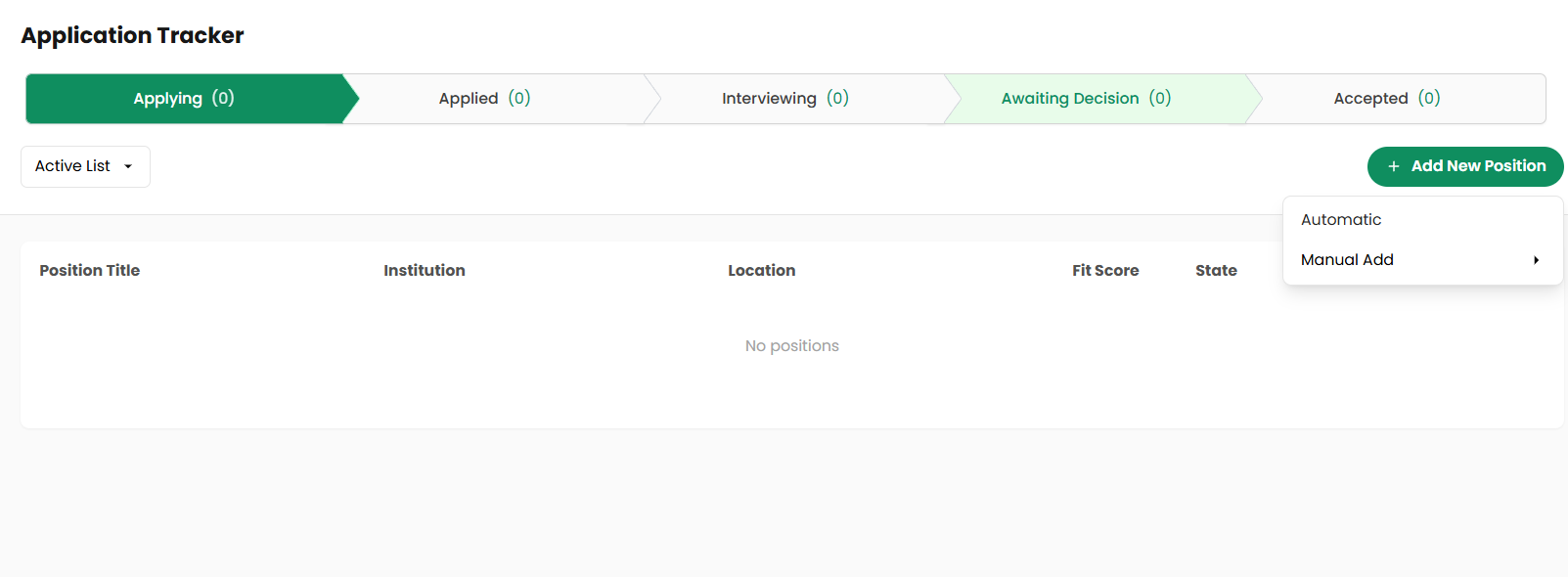
To begin your application process, navigate to the Application Tracker and click on “Add New Position.” This is where you define and manage the opportunities you want to apply for.
Acatrix gives you flexibility in how you add positions. You can either rely on the platform’s intelligent automation or manually input opportunities you have already found.
You can:
Use the automatic search feature based on your profile
Add positions manually via PDF, Text, URL
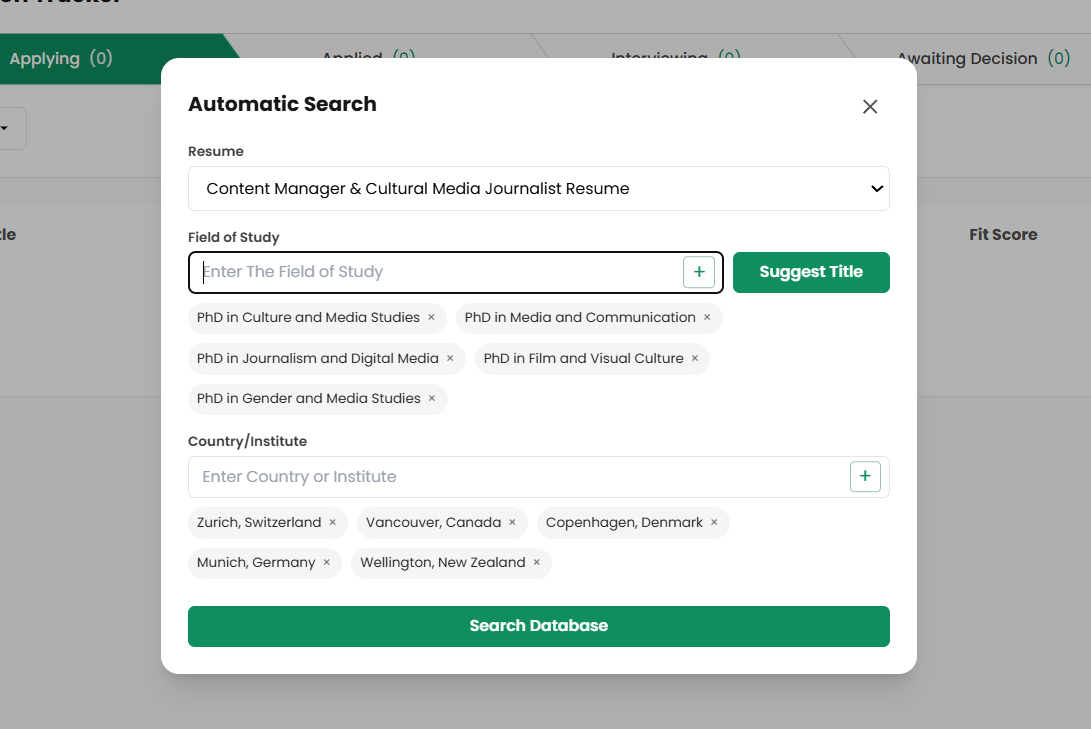
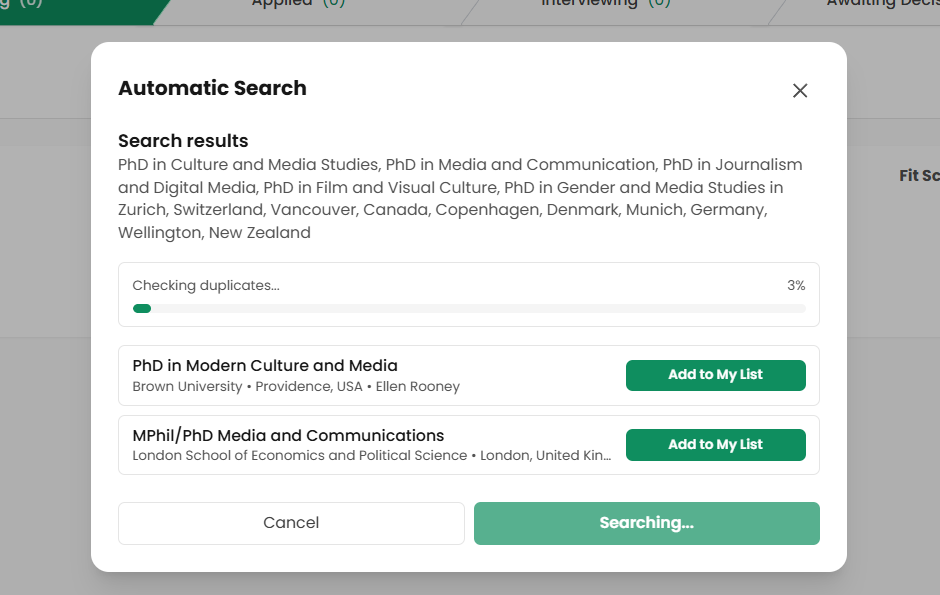
To use the automatic search feature, you need to follow the steps below.
Once you choose the automatic search option, you can refine the process by selecting one of your uploaded CVs. This ensures that the system matches positions based on the most relevant version of your profile.
You may also optionally define:
Your field of study
Target university or city
If you prefer not to limit your options, you can leave these fields empty. In that case, Acatrix will perform a fully automated search based solely on your CV.
After setting your preferences, you can initiate the Deep Search feature. This is where Acatrix performs a detailed analysis to identify suitable opportunities.
⚠️ This process may take some time. It is recommended to allow the system to complete the search without interruption to ensure accurate and comprehensive results.
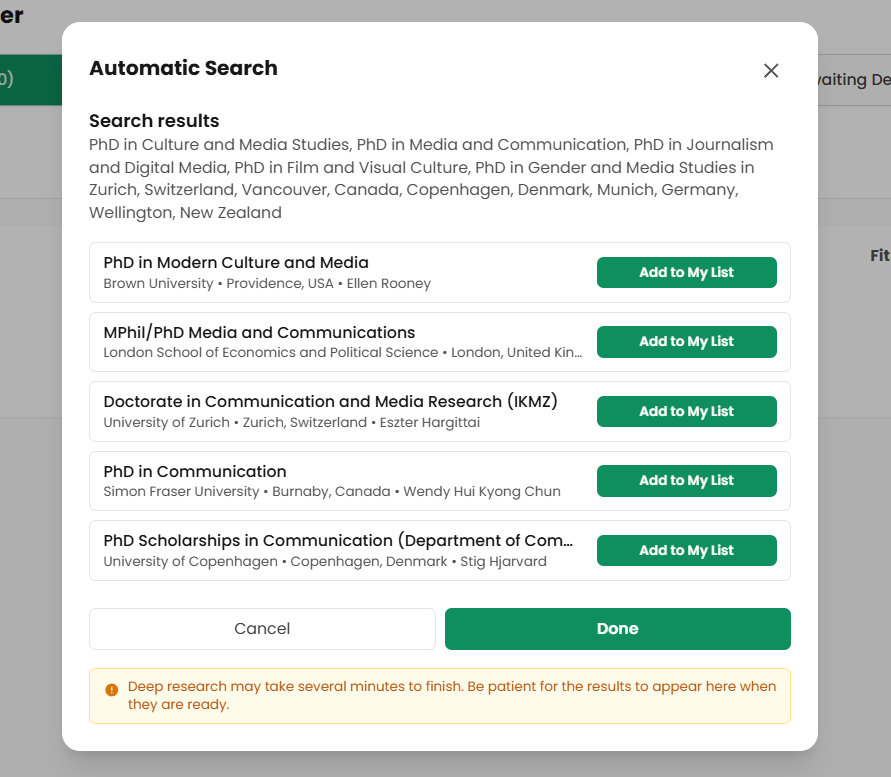
Once the search is complete, Acatrix presents a list of suggested positions tailored to your profile.
From these results, you can review and select the opportunities that best match your goals. Selected positions can then be added to your application list for further action.
Note: In the free version of the platform, you are limited to adding only one position.
5.2 Track Your Application Status
After adding positions, Acatrix provides a clear and structured overview of each one. This allows you to monitor your progress without confusion, even when handling multiple applications.
For each position, you can view:
Your fit score
Institution name
Geographic location
Current application status
This level of visibility helps you stay organized and make informed decisions throughout your application journey.
Step 6: Application Process for Each Position
6.1 Access Position Information
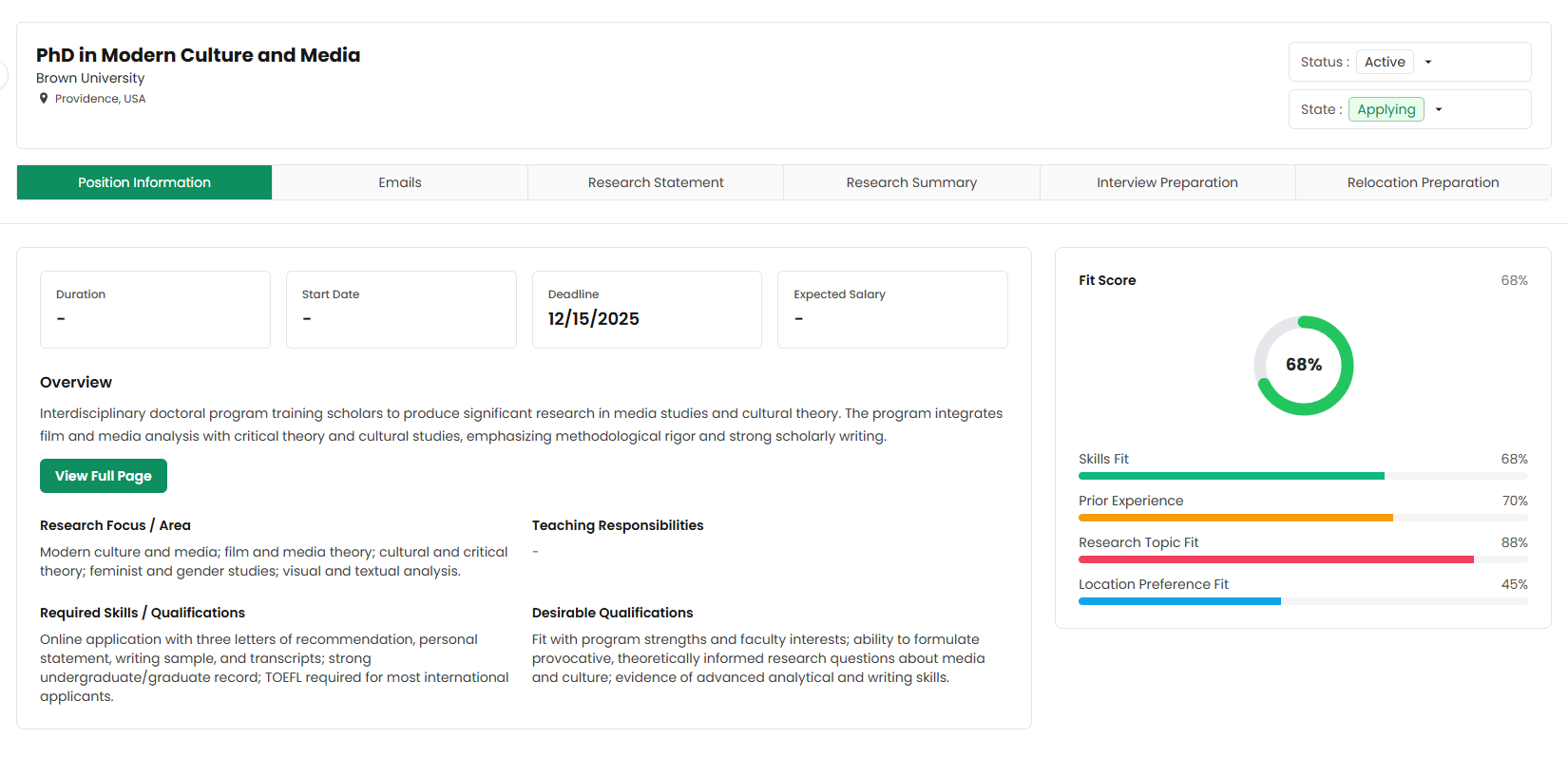
By clicking on any position in your list, you can access a detailed overview of that opportunity. This section provides essential information to help you understand and evaluate the position.
You will find:
Application deadlines
Start dates
Key position details
Estimated acceptance probability
These insights allow you to prioritize your efforts and plan your application strategy more effectively.
6.2 Use the Email Assistant
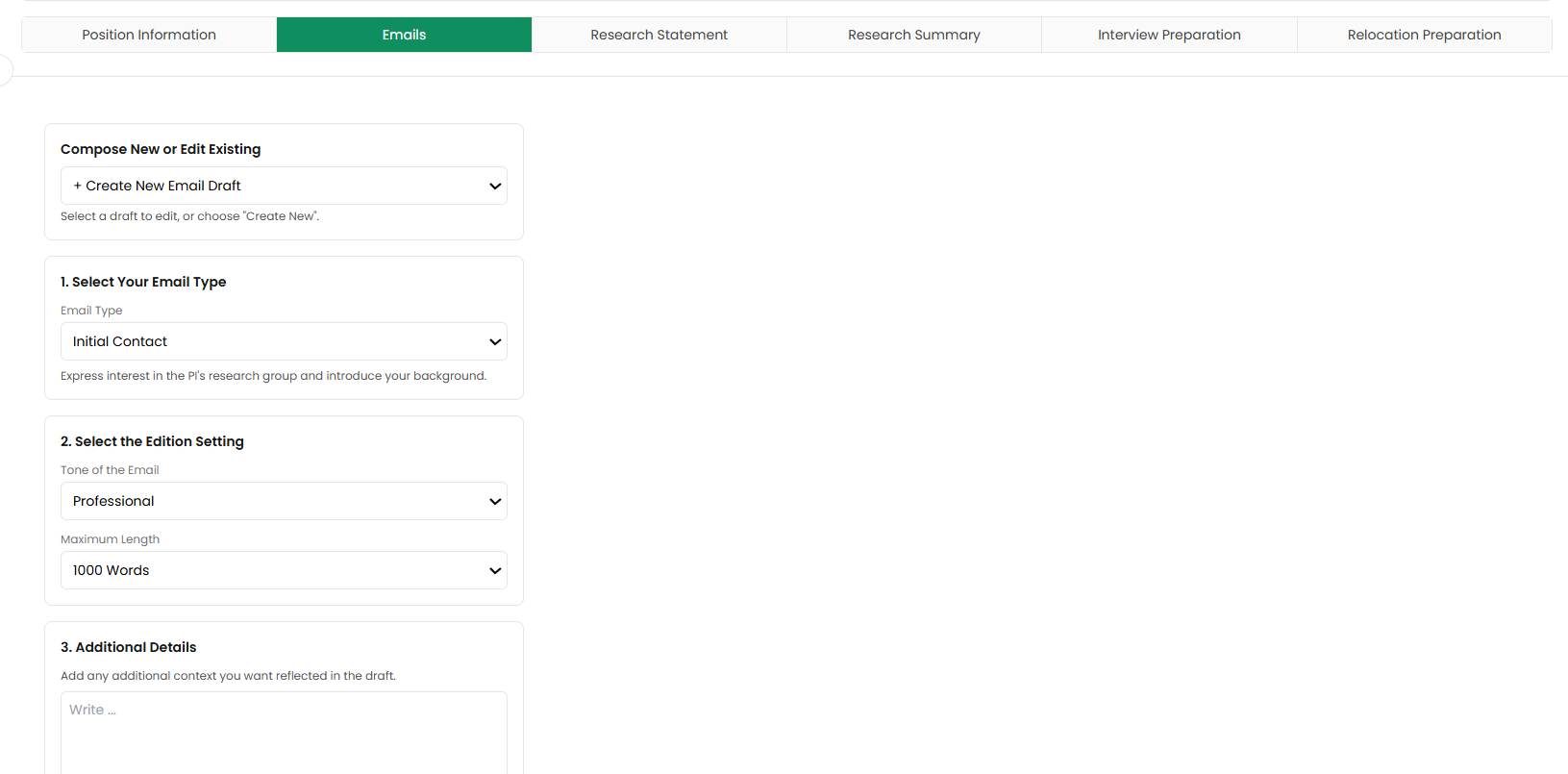
Effective communication is a crucial part of the application process. Acatrix simplifies this by offering an advancedEmail Assistant that helps you contact professors or institutions professionally.
With this feature, you can:
Generate emails based on your CV and selected position
Choose different email structures and tones
Edit existing drafts or upload your own
Request unlimited revisions
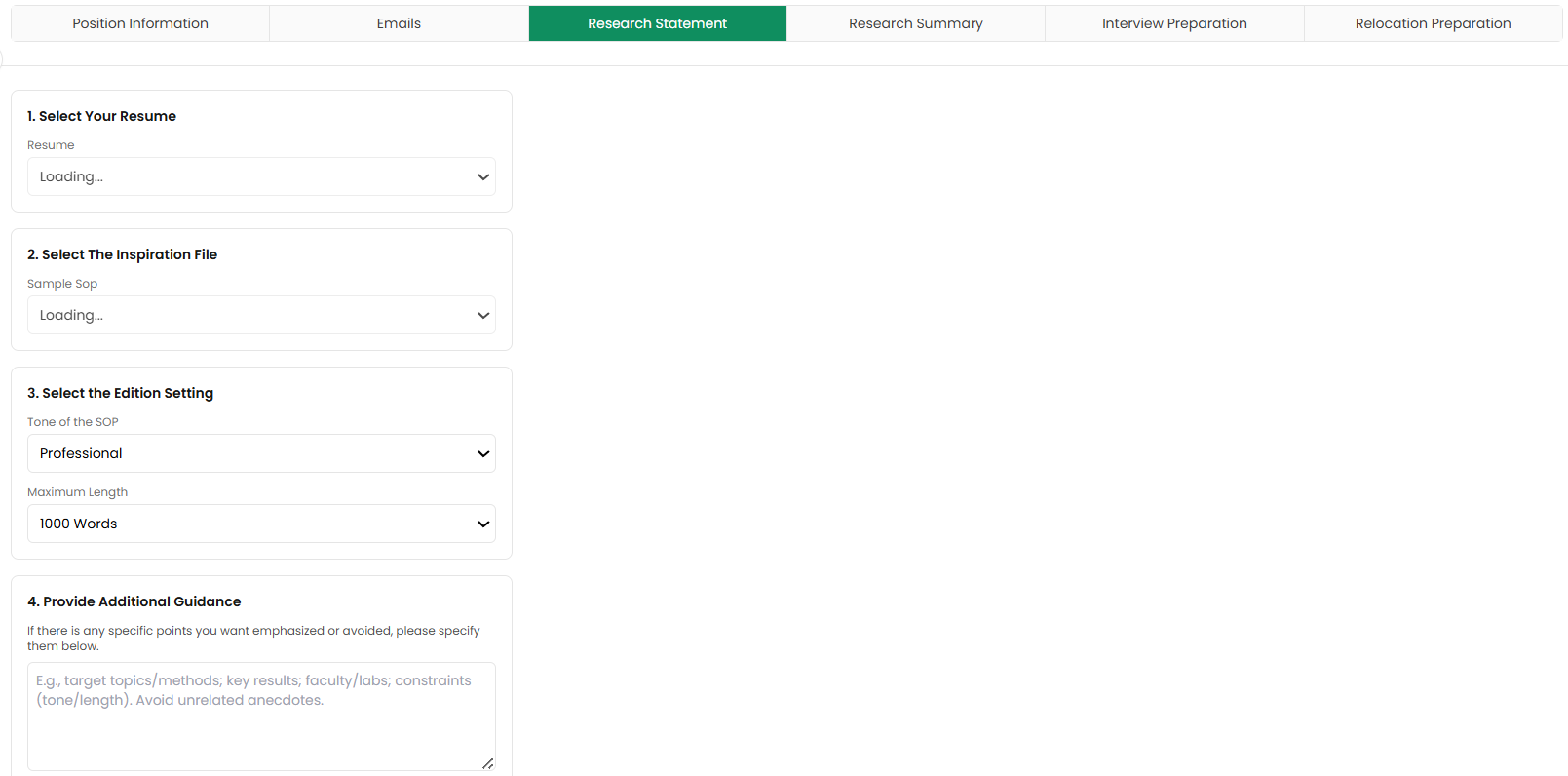
6.3 Create Your SOP and Research Statement
Writing a strong Statement of Purpose (SOP) is essential for academic applications. Acatrix supports you in creating high-quality, personalized documents.
You can:
Generate a fully customized SOP
Edit and improve your existing draft
Refine your document with unlimited revisions
NOTE: All outputs are tailored specifically to your CV and the position you are applying for, ensuring relevance and consistency.
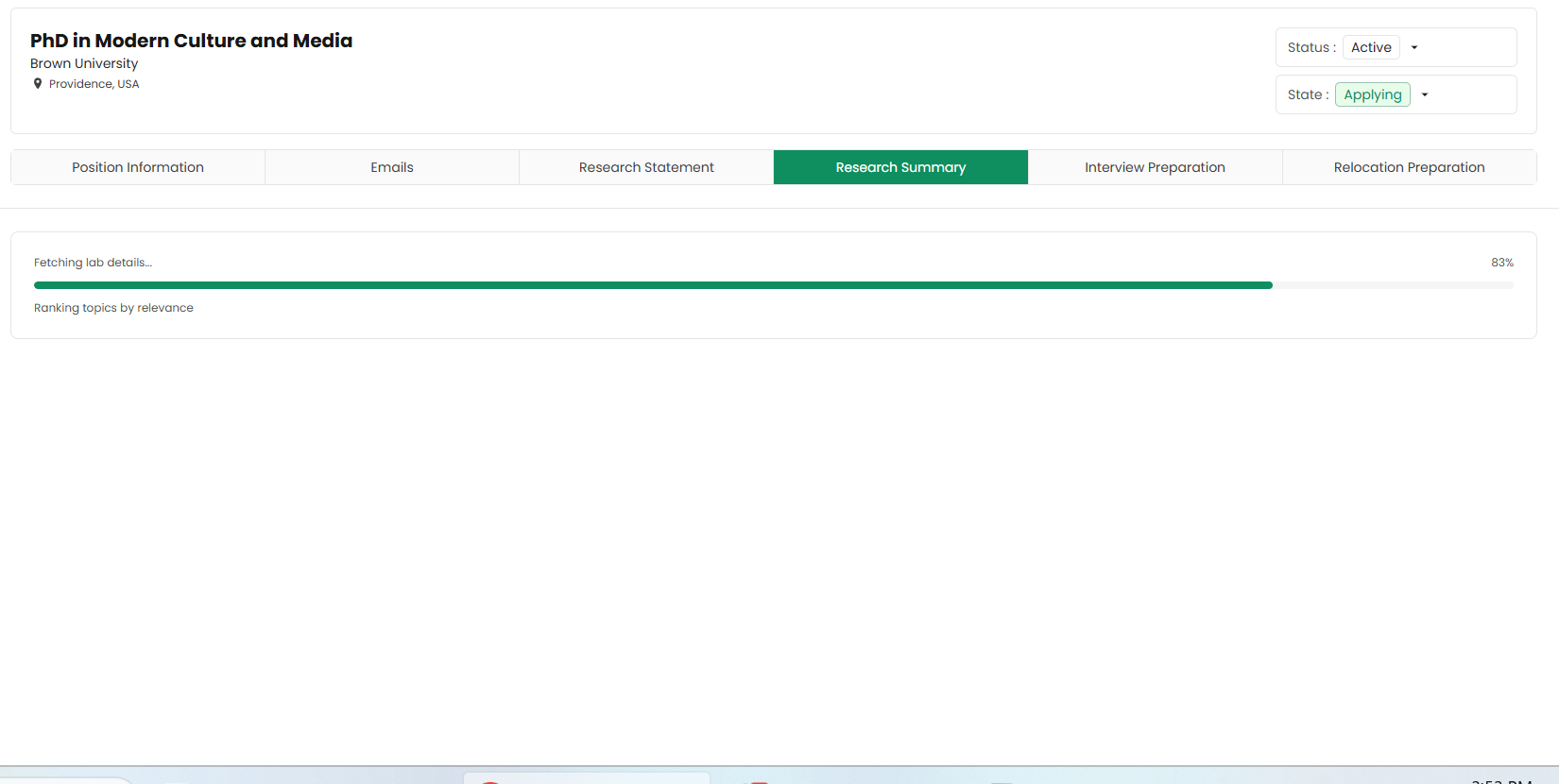
6.4 Review Research Summaries
Before applying or attending interviews, having a strong understanding of your field is critical. Acatrix provides curated research summaries to support your preparation.
This includes:
Summaries of key research in your field
Relevant academic publications
Research work by your target professors
By using this feature, you can save significant time and focus on understanding rather than searching.
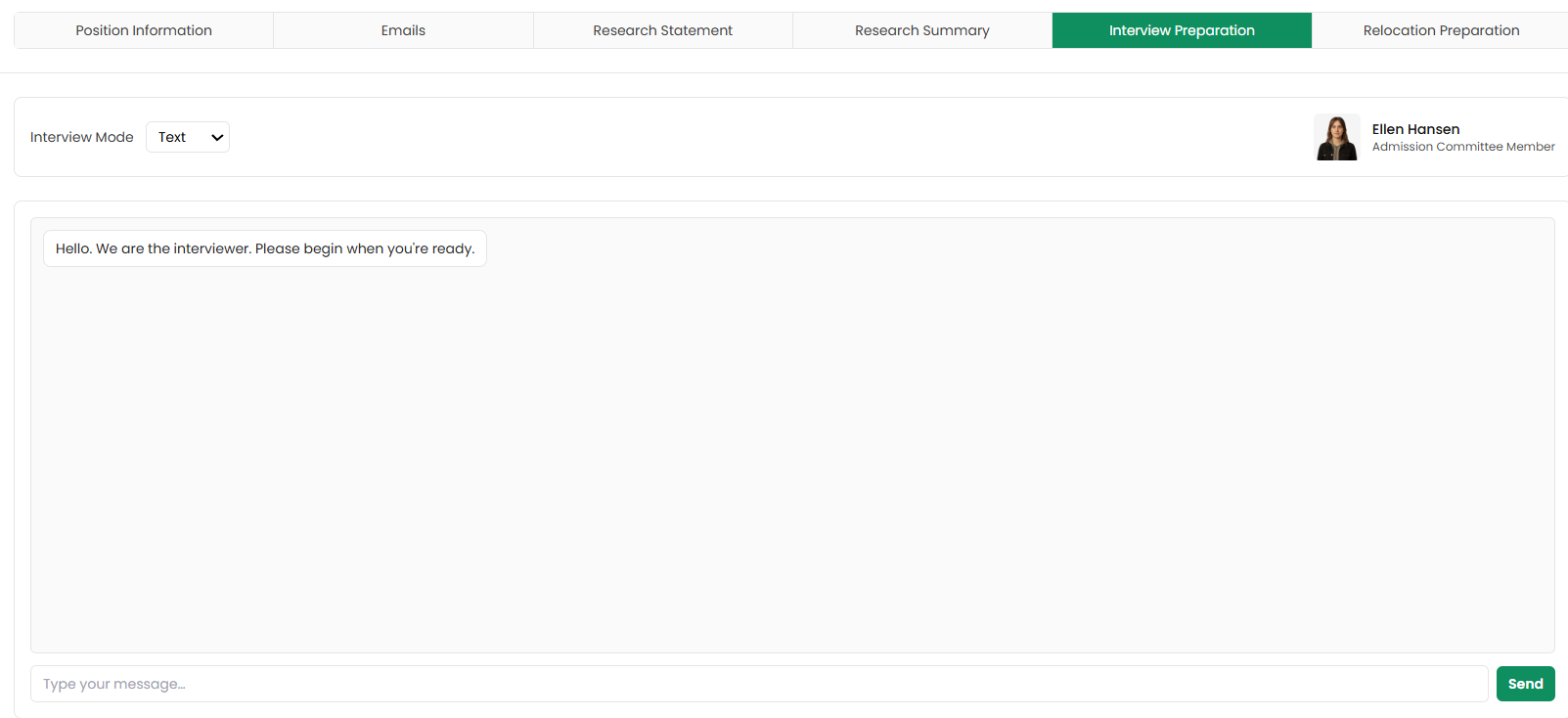
6.5 Prepare for Interviews
The final stage of your preparation is the interview process. Acatrix's interview preparation service helps you get ready by simulating real interview scenarios tailored to your chosen position.
You can:
Practice with personalized interview questions
Experience AI-generated scenarios for interviews
Use different formats:
Text
Audio
Video
You can repeat this process as many times as needed, helping you build confidence and improve your performance.
Key Feature: Application Tracker
The Application Tracker is one of the most powerful tools in Acatrix. It functions as a comprehensive planning and management system for your entire application journey.
Through this feature, you can track:
Applications currently in progress
Submitted applications
Planned future applications
Accepted or rejected positions
This structured overview ensures that you always remain in control of your process and never lose track of important details.
Your Academic Journey: From Search to Settlement! Start Now!
Frequently Asked Questions (FAQ) About Acatrix
Is Acatrix free to use?
Yes, Acatrix offers a free trial that allows you to use all its features for one application. After that, you may need to upgrade to access full functionality for multiple positions.
Can I upload more than one CV?
Yes, you can upload unlimited CVs. This allows you to tailor different versions of your resume for different positions and select the most suitable one for each application.
Can I edit the generated documents like SOP or emails؟
Yes, all generated contentو including emails and SOPs can be edited. You can also request unlimited revisions to refine the content until it meets your expectations.
Does Acatrix help with interview preparation?
Yes, Acatrix provides personalized interview preparation tools, including simulated questions and practice formats such as text, audio, and video to help you improve your performance.
Acatrix is a comprehensive platform that simplifies the academic application process by combining multiple essential tools in one place. From CV optimization to interview preparation, it provides a structured and efficient workflow. Its strength lies in combining automation with personalization, helping users save time while improving the quality of their applications.
Bringing Your Entire Academic Application Workflow Into One System
If you are navigating academic applications, Acatrix brings everything together in one structured workflow from discovering relevant programs and research papers to writing your CV, SOP, and academic emails, preparing for interviews, and tracking your entire application process in one place.
Start using Acatrix to manage your full academic application journey with structured tools designed for researchers, PhD applicants, and students applying to academic programs at all levels worldwide.