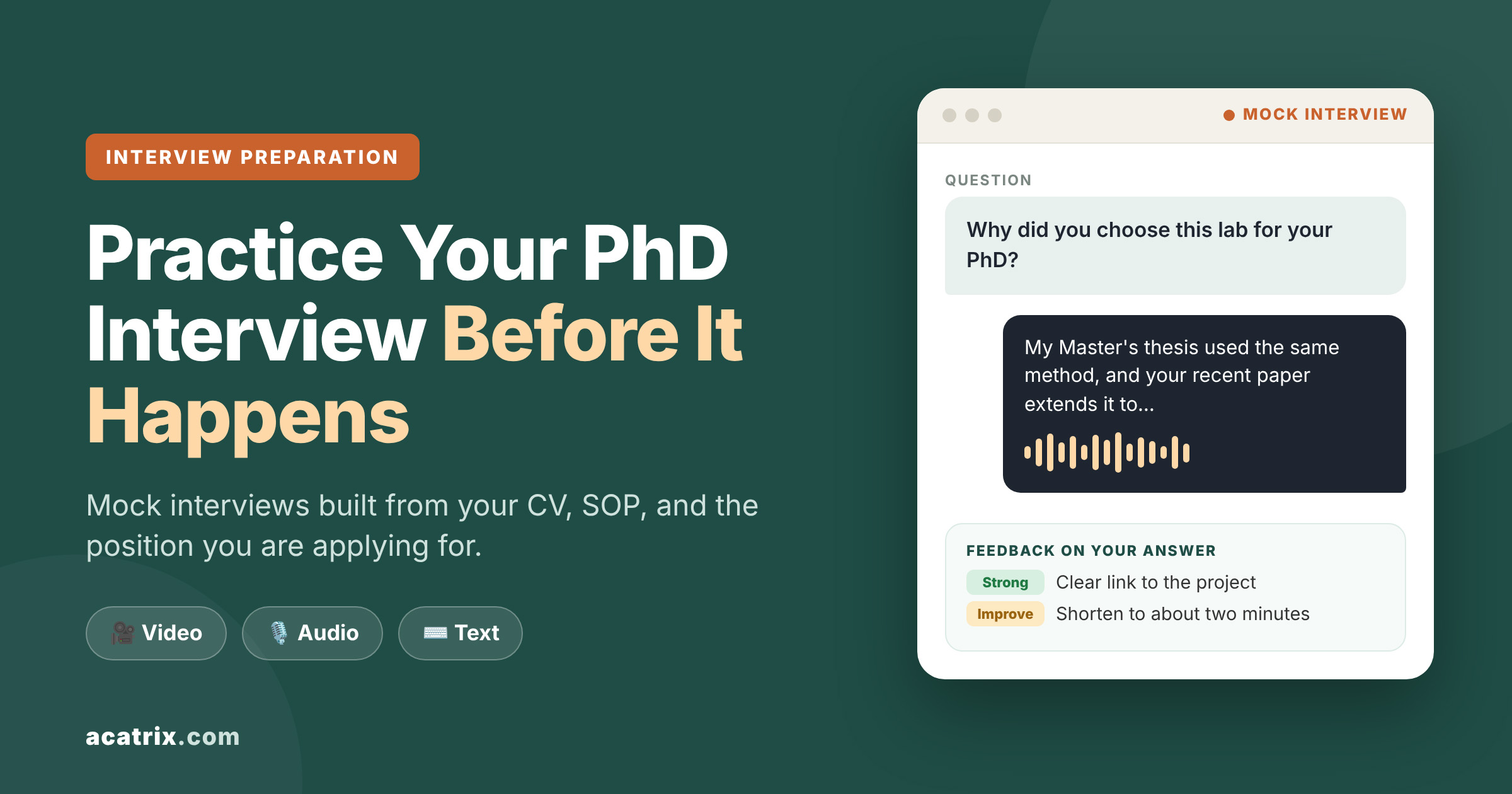
Acatrix Interview Preparation: Practice Your PhD Interview Before It Happens
Most candidates prepare for a PhD interview the same way. They read a list of common questions, write a few answers, and hope the panel asks something close.
Then the real interview starts, and the questions don't sound like the list. The professor asks about a gap in your CV. They challenge your method. They ask why you chose this lab. And you realize you never practiced saying any of it out loud.
That is the problem Acatrix Interview Preparation is built to solve. This guide explains what it does, how it works, and how to use it well.
Why Most PhD Candidates Struggle in Interviews
It is rarely about knowledge. Most candidates who get an interview know their field. They struggle for other reasons:
They prepared answers in their head, but never said them aloud.
They practiced generic questions, not the ones this panel would ask.
Their answers run too long, or stay too vague.
They don't know which parts of their CV or SOP will raise questions.
If this sounds familiar, read our guide on 10 PhD interview mistakes. Most of them are fixed by one thing: realistic practice.
The Main Features of Acatrix Interview Preparation
1. Questions Built From Your Own Profile
Generic lists treat every candidate the same. Acatrix doesn't. It uses your academic background, CV, research interests, SOP, and the target position to generate the questions you are most likely to face. It also looks for the weak spots in your application, so you can practice the questions you would rather avoid.
2. Practice by Video, Audio, or Text
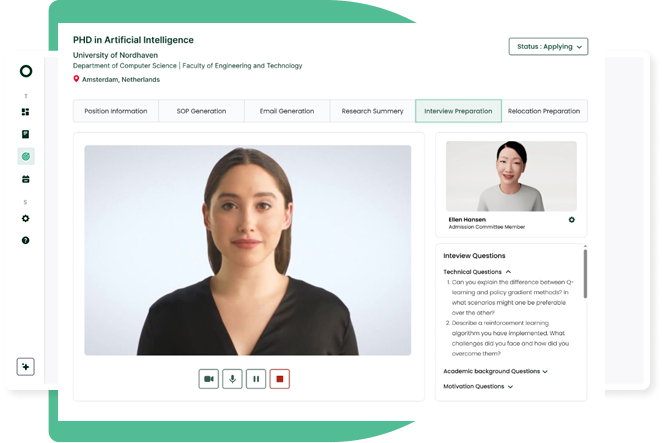
You choose how you want to practice. Video is closest to a real interview. Audio is good when you want to work on your voice and pace. Text is useful when you are still shaping your answers. You can use all three over time.
3. Feedback on Every Answer
After you answer, Acatrix analyzes your response. It shows you where the answer is strong, where it is unclear, and where it needs work. That is the part most self-practice misses. Speaking to a mirror doesn't tell you that your answer wandered for two minutes.
4. A Simulator Based on the Professor
Different professors ask different questions. Some focus on methods. Some want to hear your motivation. Some push hard on weaknesses. Acatrix's simulator looks at a professor's public research profile, publications, and academic interests, and uses them to imitate how that person is likely to question you. You walk in having already heard the kind of questions they ask.
5. Practice in Your Language
Sessions can run in different languages, including English, German, and French. This matters if your interview won't be in English, or if you want to practice a part of your answer in the language of the country you are applying to.
6. Unlimited Mock Interviews, Any Time
There is no scheduling and no waiting for a tutor. You can run a mock interview at midnight, the morning of your interview, or ten times in a week. For something as personal as an interview, repetition is what builds confidence.
Feature | What it does for you |
|---|---|
Profile-based questions | Practice the questions your own CV and SOP will raise |
Video, audio, text | Choose how close to a real interview you want to get |
Answer feedback | See what is strong, unclear, or needs work |
Professor simulator | Prepare for a specific professor's style |
Multilingual sessions | Practice in English, German, French, and more |
Unlimited, on demand | Practice whenever you want, as often as you want |
"Don't prepare for interviews in isolation. Build the system that prepares your entire application."
Practice by Video, Audio, or Text, in Any Language, Without Limits
Most interview preparation gives you one way to practice. Acatrix gives you three, and you can switch between them as your interview gets closer.
Text. Start here when you are still shaping your answers. You can write, read, and rewrite without the pressure of speaking. It is also a good way to test the first version of your answer to a hard question.
Audio. Move to audio when you want to work on how you sound. Your pace, your pauses, and the length of your answers all show up. This is where most candidates notice they talk for three minutes when two would do.
Video. Use video for the last stage. It is the closest thing to a real interview, with your face, your posture, and your eye contact all in the frame. Practice it in the same room and with the same setup you will use on the day.
Any language. Sessions are not limited to English. You can practice in German, French, and other languages. This helps if your interview will be in the language of the country you are applying to, or if you want to practice explaining your research in more than one language.
No limits. You can run as many mock interviews as you want, whenever you want. There is no tutor to book and no calendar to match. Run one at midnight, one the morning of your interview, or ten in the same week.
A simple way to use all three:
Start with text to build your answers.
Switch to audio to fix your pace and length.
Finish with video to practice the real setting.
How It Works in 3 Steps
Step 1: Build Your Application Profile
You add your background, experience, goals, and the programs or positions you are targeting. This is the base for everything else.
Step 2: Understand Your Application Narrative
Acatrix looks at how your CV, SOP, research interests, and target opportunity connect. It also shows the gaps. This step is useful on its own, because a panel will notice the same gaps.
Step 3: Start Your Personalized Interview Simulation
You practice realistic scenarios built around your profile and the position. Then you read the feedback, fix your answers, and run it again.
Interview coming up?
Run your first mock interview today, before the real one!
A 7-Day Plan to Prepare for Your PhD Interview
If you have a week, here is a simple way to use the service:
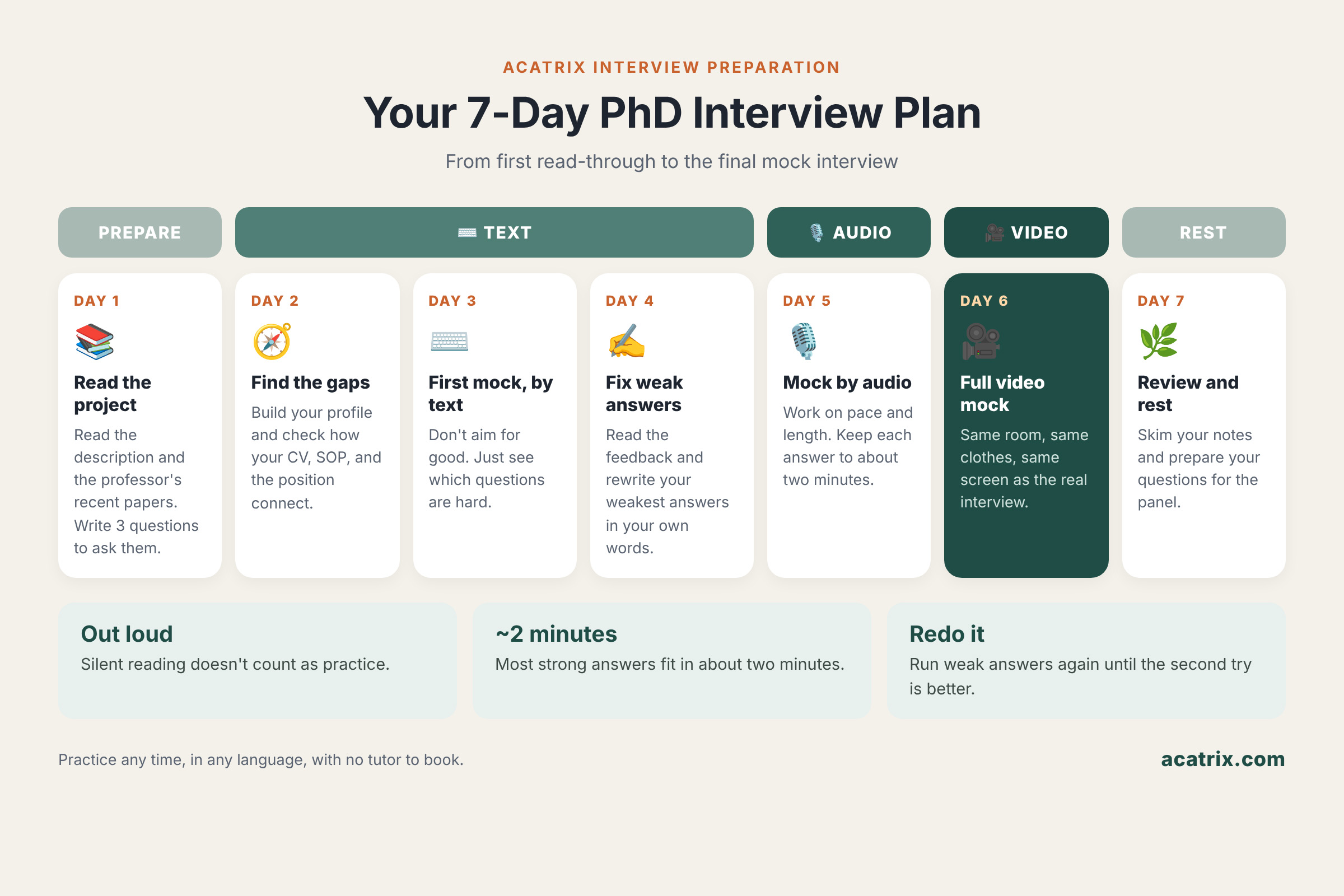
Day 1: Read the project description and the professor's recent papers. Write down three things you want to ask them.
Day 2: Build your profile in Acatrix and check the gaps it shows between your CV, SOP, and the position.
Day 3: Run a first mock interview by text. Don't worry about the results. Just see which questions are hard.
Day 4: Read the feedback, then rewrite your weakest answers in your own words.
Day 5: Run a mock interview by audio. Focus on length. Keep answers to about two minutes.
Day 6: Run a video mock interview, as close to real conditions as possible. Same room, same clothes, same screen.
Day 7: Rest, review your notes, and prepare your questions for the panel.
Not sure how to open the interview? Read how to introduce yourself in a PhD interview. Nervous? Here is how to stop feeling nervous before academic interviews. And for ideas on what you might be asked, see the top 10 most common PhD interview questions.
Who It's For?
PhD candidates are the main audience, but they are not the only one. The service is also useful for:
Master's admission interviews
Scholarship committee interviews
Research position interviews
MBA interviews
International job interviews
What Good Practice Looks Like
Answer out loud. Reading your answer silently doesn't count.
Redo the weak answers. Don't move on until the second version is better than the first.
Practice the uncomfortable questions. A gap in your CV or a weak grade is exactly what a panel will ask about.
Keep your answers short. Most strong answers fit in two minutes.
Don't memorize a script. Aim to know your key points, and say them naturally.
📌 Keep in mind
Practice builds confidence, but it doesn't replace knowing your own research. Before every interview, read the project description and the professor's recent work. The simulator works best when you bring that knowledge with you.
Interview Preparation Works Better With the Rest of Your Application
Your interview questions come from your application. That is why the service sits inside the Acatrix system. A better CV, a clearer SOP, and a good email all make your interview easier.
CV Review & Feedback: fix your CV before a panel reads it.
Research Statement & SOP Drafting: a statement you can talk about with confidence.
Email Assistant: emails that get you the interview in the first place.
Application Tracking System: every interview date and deadline in one place.
This module is part of the Acatrix Application System, which also includes:
Research Statement & SOP Drafting
For a complete step-by-step guide, learn how to use Acatrix for academic applications and manage everything from finding opportunities to preparing your documents and interviews.
Read More about Academic Apply
1. 10 PhD Interview Mistakes
2. How to Introduce Yourself in a PhD Interview
3. How to Stop Feeling Nervous Before Academic Interviews
4. Top 10 Most Common PhD Interview Questions
5. How to Make Your SOP More Specific and Personal
6. PhD Application Checklist
7. Why Professors Don’t Reply to Emails
8. 10 PhD Email Examples: Accepted vs. Ignored (2026)
9. Acatrix vs. ChatGPT: Which AI Tool Is Better for Applications?
10. Should I Attach My CV in the First Email to a Professor?
11. How to Turn Any Research Paper into a High-Quality Summary in Minutes
Frequently Asked Questions
1. What is Acatrix Interview Preparation?
It is a service that lets you run mock interviews based on your own CV, SOP, and target position, and gives you feedback on your answers.
2. Can I practice by video, audio, or text?
Yes. You can choose the format that suits you, and use more than one over time.
3. Can I practice for a specific professor?
The simulator looks at a professor's public research profile, publications, and academic interests, and uses them to imitate their likely questioning style.
4. Can I practice in a language other than English?
Yes. Sessions are available in different languages, including English, German, and French.
5. Is it only for PhD interviews?
No. It also works for Master's admissions, scholarship committees, research positions, MBA interviews, and international job interviews.
6. How many mock interviews can I run?
You can run mock interviews on demand, at any time, without booking a tutor.
7. Is there a free trial?
Acatrix offers a free start. Check the pricing page for the current plans and what each one includes.